Claude Code for Everything: Home Assistant Edition
When people ask for advice on how to use agents and AI tools, I usually give two pieces of advice: First, use Claude Code, Codex or Open Code even if you are not writing code. While these tools are designed for code they can do so much more, and since they have access to your computer they are vastly more useful (like Cowork on steroids). Second, use it for everything because you never know how they might fit into your existing flow.
This is an example of the latter.
I use Home Assistant and I have connected Lutron blinds that I would like to automatically lower when the sun is shining on them. There is a plugin called Adaptive Covers which uses your location, azimuth, and window parameters to automatically control the shades based on the position of the sun. Seems perfect, but the plugin is complex… 60 configurable parameters and 9 potential modes based on indoor/outdoor temperature, presence, weather conditions, etc.
It’s confusing to setup to say the least, and given that you can really only test it once a day it’s a long and frustrating journey to get it perfected.
What I wanted wasn’t too complicated:
- Open all the automatic shades 30 minutes before sunrise.
- Once in the afternoon/evening start lowering the west facing shades to minimize glare
- Raise all the shades at sunset
- Lower them all at 10p and repeat
Enter stage left: Claude Code
I pointed Claude Code at the GitHub repo for Adaptive Covers, I gave it the parameters and the behaviour that I wanted. It whirred and bloviated for a bit then it suggested how to set it up. It gave settings for the plugin and a small automation for things that the plugin couldn’t handle.
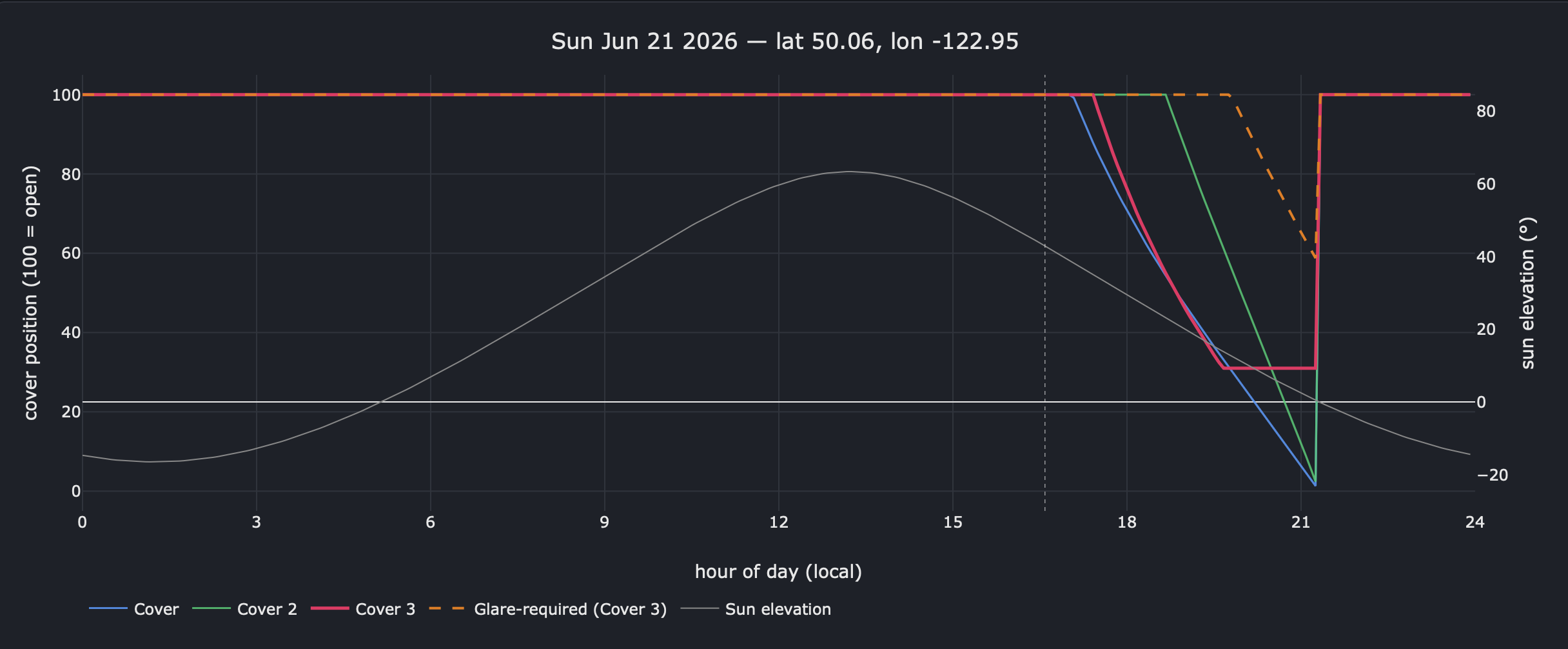
First cut worked, but not quite what I wanted, so I had Claude wire up a simulator that lets you tweak the settings and visualize how the shades will behave over time. That let me quickly iterate on the settings and I was able to accomplish in a few hours what would have taken weeks of trial and error. I exported the settings from Home Assistant and it identified missed parameters and potential configuration issues.
You can view the simulator code or you can run it directly in your web browser 1. You can even just export the diagnostics from Adaptive Covers and it will load you current settings!
You won’t know where these tools will take you until you try; sometimes it’s a bust, but sometimes you knock something off the todo list and you still have the rest of the afternoon to spare.
Footnotes
-
Note you will have to acknowledge the githack warning since they are just acting as a proxy, if you don’t want to do that you can always snag the HTML and run it locally from a text file, no server required. ↩