Claude Code as a Control Center
Agent View is changing how I work. I used to keep a half-dozen Claude Code sessions open, bouncing between them and keeping them going or starting new tasks as old ones finished. The sessions were long-lived, with dedicated cleanup and context-freeing after each task.
With Agent View I use agent mode as a launchpad, firing off ephemeral, background agent sessions from the control center. I can dive into the individual sessions as needed and it gives a convenient way to keep track of everything.
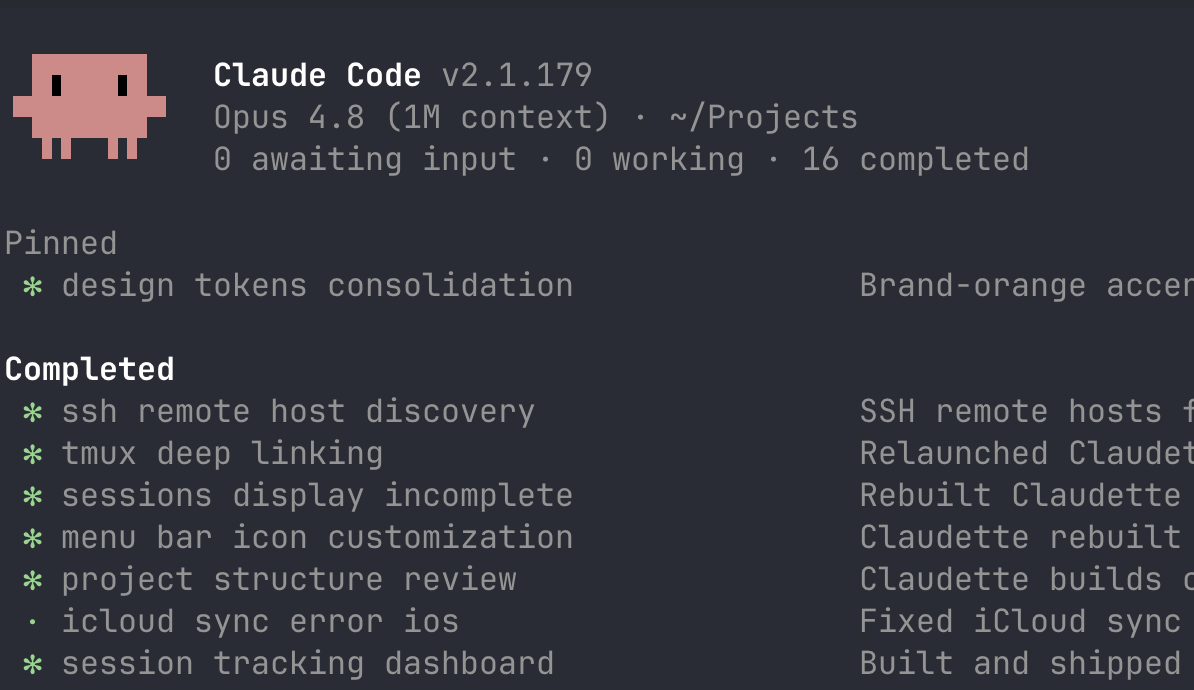
It’s kinda crazy to sit back and see a half dozen agents running all at the same time, all doing things. Or to kick off a bunch of work and walk away, then see deployment notifications coming through over the next hour or two. It’s a long way from the first project I made with Cursor.
It’s not without problems though:
-
Status detection is really poor, often putting work that is pending a background task or actively being worked on in the completed section. You’ll see the little star spinning away but it’ll be filed under completed.
-
Permission Downgrading Sometimes I would find that the main agent session would no longer be running in bypass permissions, and every child session would inherit the downgraded permission model with no way to get back to bypass. Because they are managed background sessions you can’t just resume them, you have to remove them from the agent manager (
ctrl + x,ctrl + x), kill the session, and then manually resume it with--dangerously-skip-permissionsbefore you can background it and pick your workflow back up. It’s a tedious multi-step problem, and it’s mildly infuriating to see a session that should have been merrily chugging along waiting on permission to read a file or something similar.
Tips:
- Project View
ctrl + swill sort the tasks by working directory so you can view a project overview. - Rigorously Defining Done Because of the increased volume of ephemeral sessions, it is really, really easy to lose track of tasks. Having repo rules about when an agent can call a task done helps a lot — it’s something I have added to the other agentic patterns I lean on. For example, I use the following rules: 1. code changes must land in PRs, 2. default to automerge unless explicitly instructed, 3. agent is responsible for monitoring PR CI checks, and 4. post-merge the agent is responsible for monitoring any deployment pipelines to ensure they don’t break.
- Fable… It is genuinely better with
Fable 5because Fable is much better at long-running autonomous tasks. It achieves something much closer to fire and forget. - TMUX Session Management I still find TMUX to be very useful for both managing sessions and scoping views. I will have one main TMUX session that is running
claude agents --dangerously-skip-permissionsto see the view of all background sessions on the host. Then I have dedicated sessions per project’s working directory.
TMUX Tree

(0)   + control center: 1 windows (attached)
(1)   - infra-stacks: 1 windows
(2)   └─ + 1: Agents istk*: "~/P/infra-stacks"
(3)   - keyboard-firmware: 1 windows
(4)   └─ + 1: Agents kfw*: "~/P/keyboard-firmware"
(5)   - fitness-tracker: 1 windows
(6)   └─ - 1: Agents ftk*: "~/P/fitness-tracker"
(7)   └─ - 2: fish*: "~/P/fitness-tracker"